

What you need
- A Windows PC with AutoCAD 2021.
- Internet. It is needed to activate and to calculate quantities.
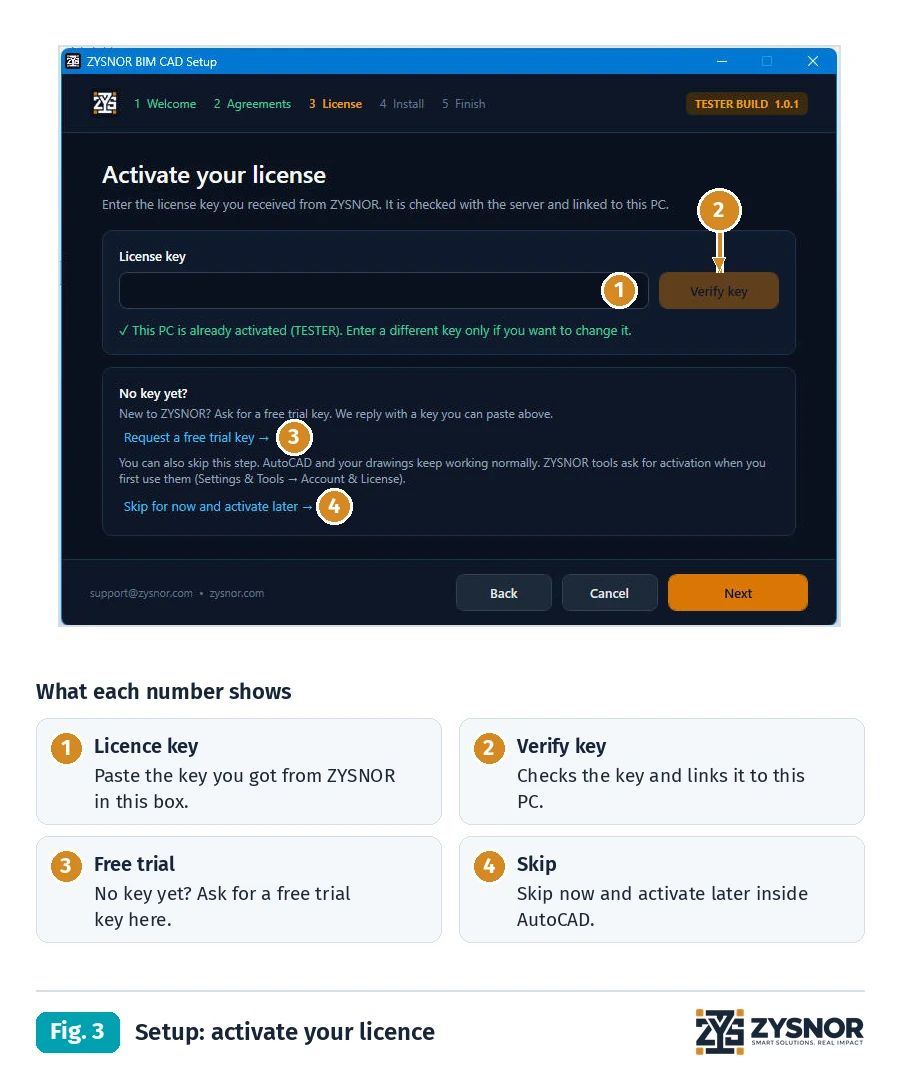
- A license key from ZYSNOR. No key yet? Get a free trial key or ask in the setup (Fig. 3).
You do not need administrator rights. The plugin is installed only for your Windows user.
Step 1: start the setup
- Save your work and close AutoCAD.
- Double-click the setup file ZYSNOR-BIM-CAD-Setup-1.0.1.exe.
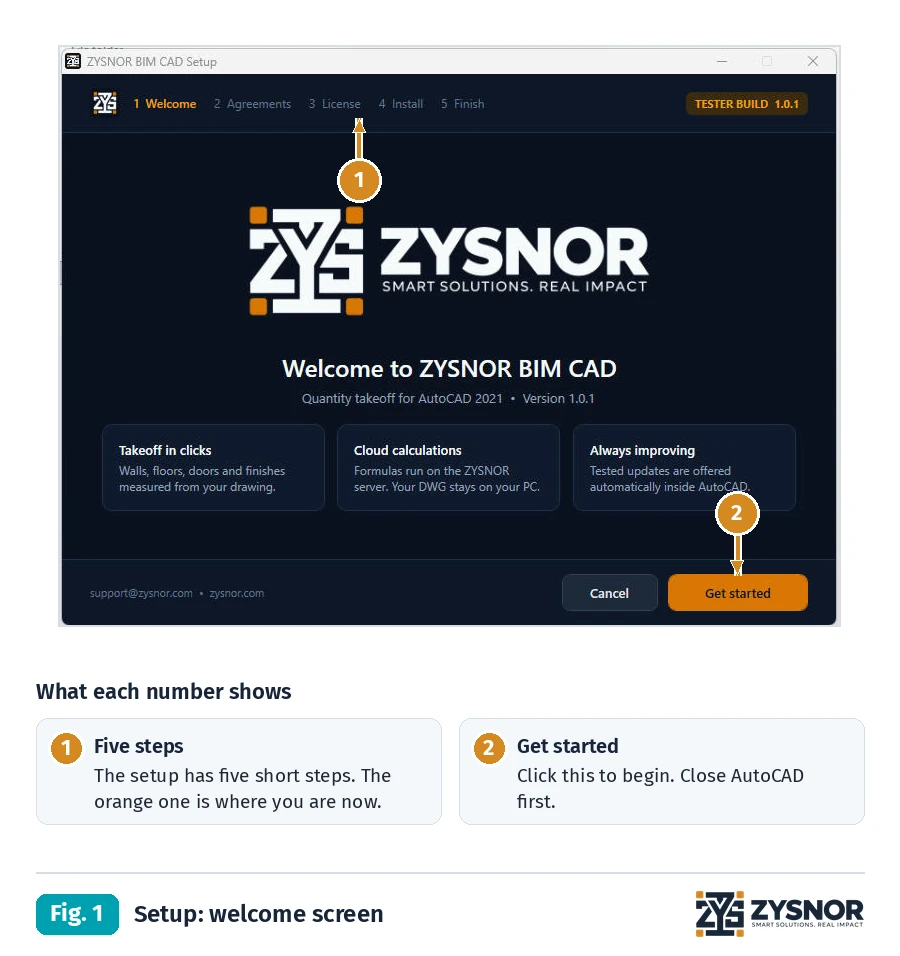
- Click Get started (Fig. 1, number 2).
Step 2: read and agree
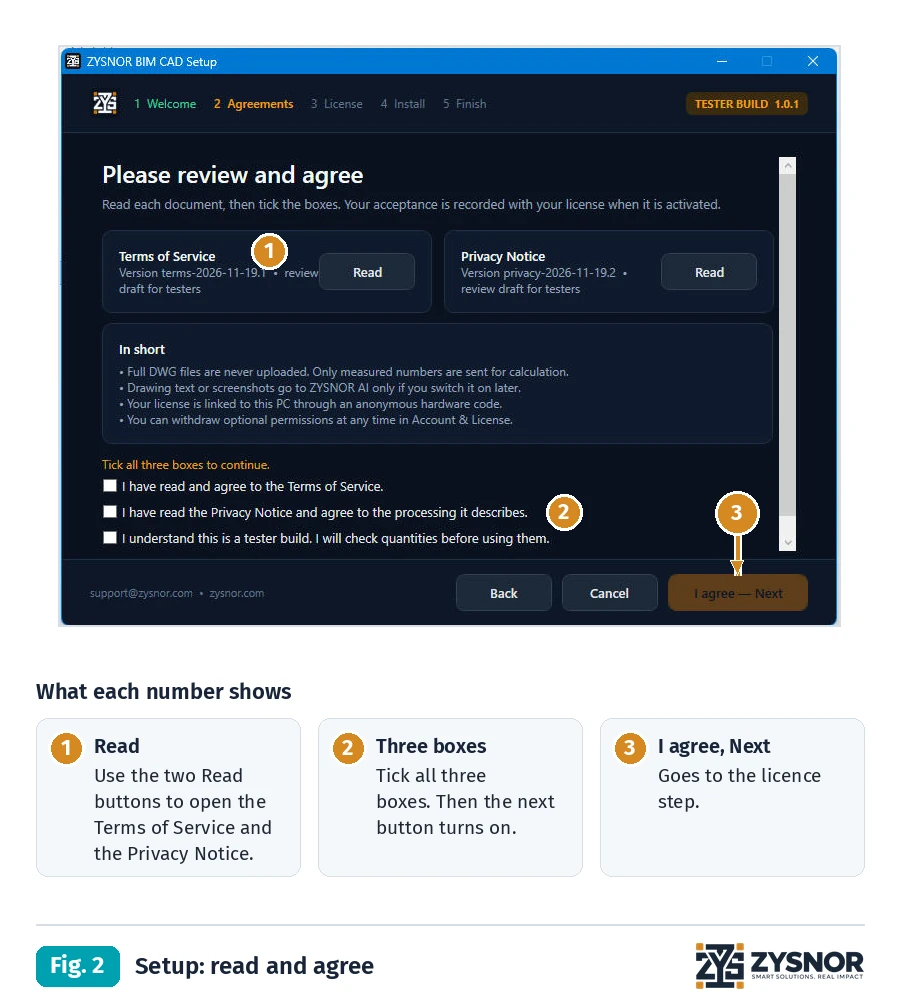
- Click the two Read buttons if you want to read the Terms and the Privacy Notice (Fig. 2, number 1).
- Tick all three boxes (Fig. 2, number 2):
- “I have read and agree to the Terms of Service.”
- “I have read the Privacy Notice and agree to the processing it describes.”
- “I understand this is a tester build. I will check quantities before using them.”
- Click I agree — Next (Fig. 2, number 3).
Step 3: activate your license
- Paste your license key in the box (Fig. 3, number 1).
- Click Verify key (Fig. 3, number 2). The key is now linked to this PC.
- No key? Click Request a free trial key (number 3), or Skip for now (number 4) and activate later.
Step 4: install
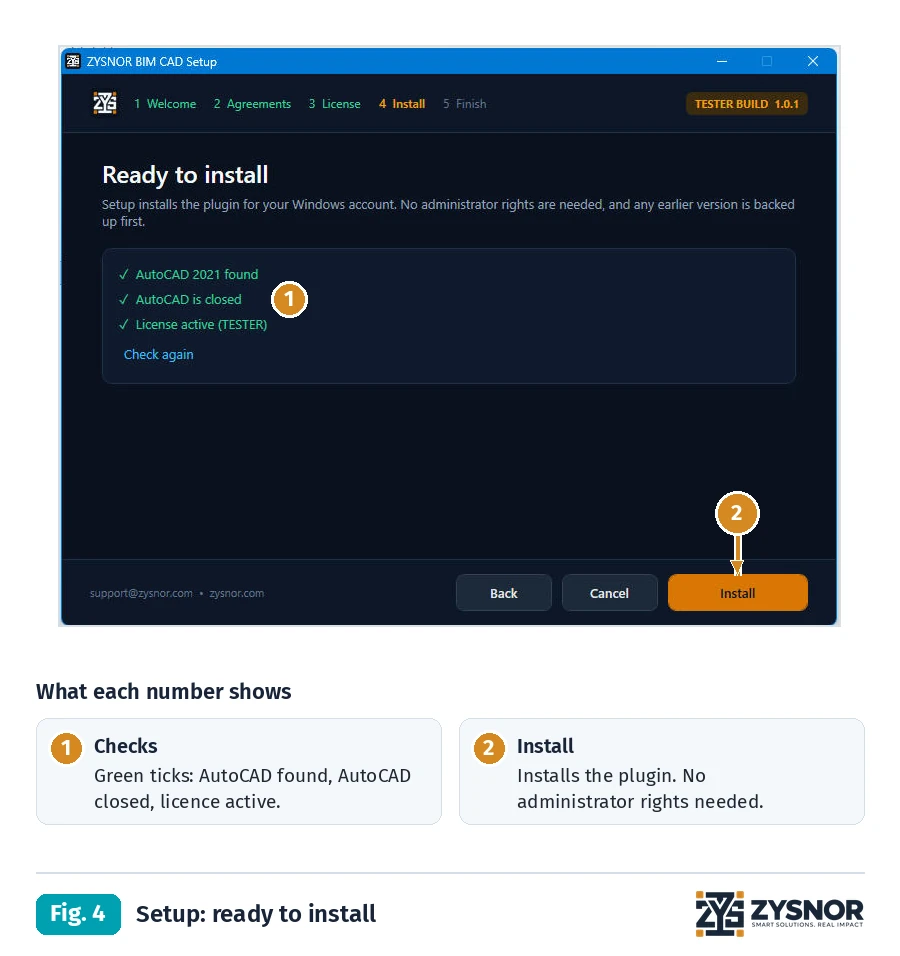
The setup checks three things: AutoCAD 2021 is found, AutoCAD is closed and the license is active (Fig. 4, number 1). When all three are green, click Install (number 2).
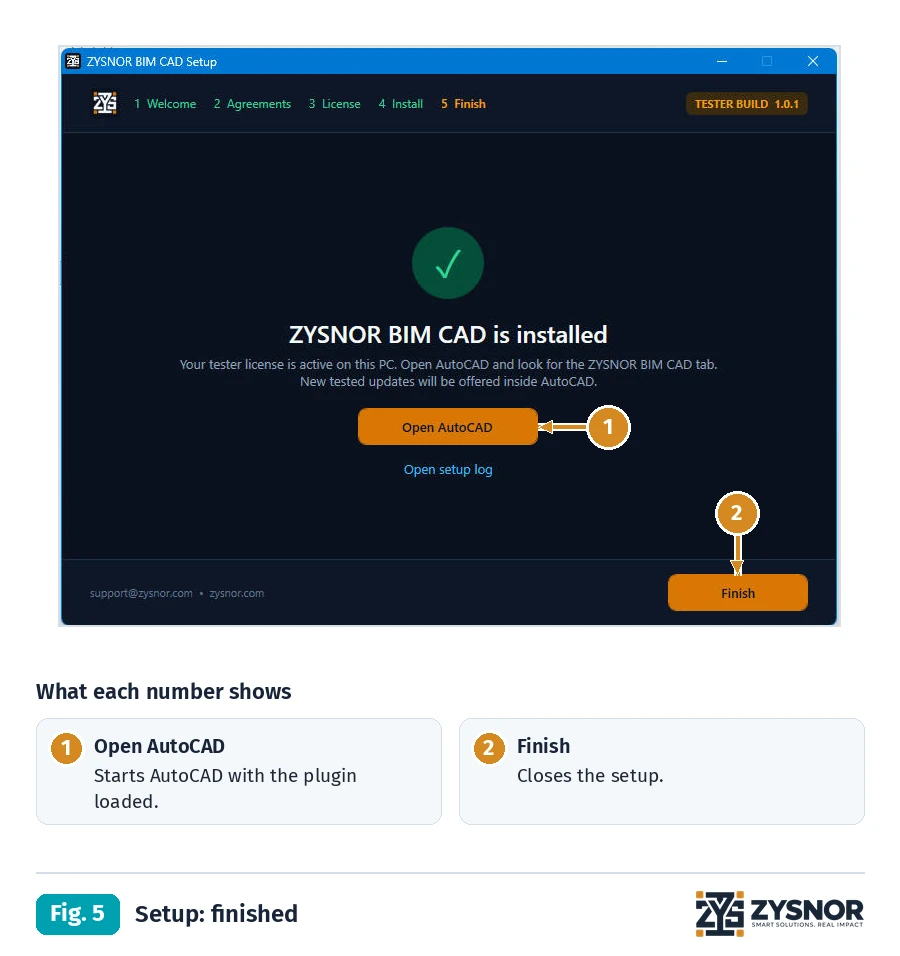
When you see ZYSNOR BIM CAD is installed, click Open AutoCAD (Fig. 5, number 1).
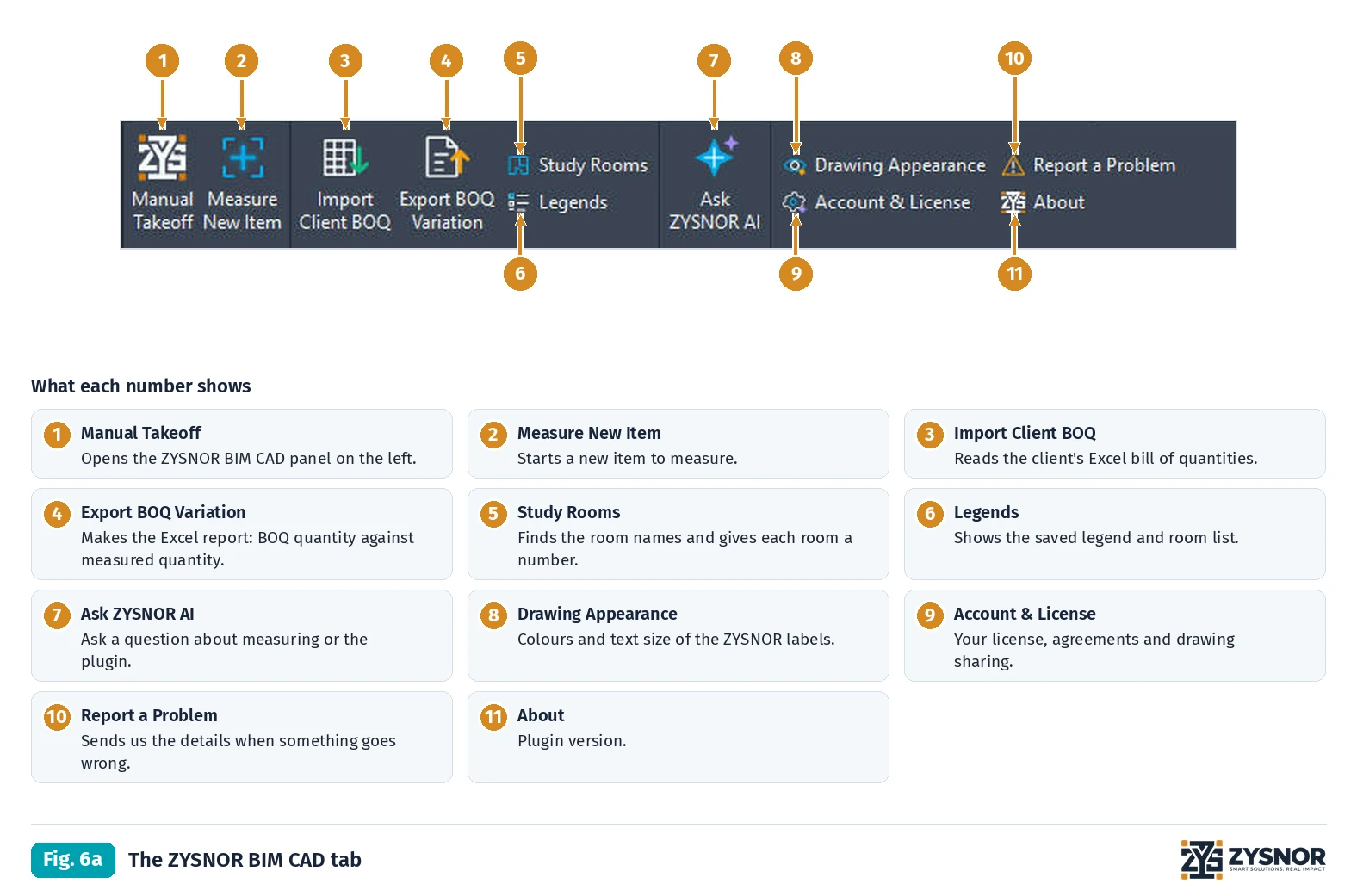
Every button on the ZYSNOR tab
In AutoCAD, click the ZYSNOR BIM CAD tab at the top. Fig. 6a shows every button on the tab with a number, and the list below says what each one does.
Every button on the ZYSNOR BIM CAD panel
The ZYSNOR BIM CAD panel opens on the left side of the drawing. Most daily work starts here. Fig. 6b shows every part of the panel, and the list below says what each one does.
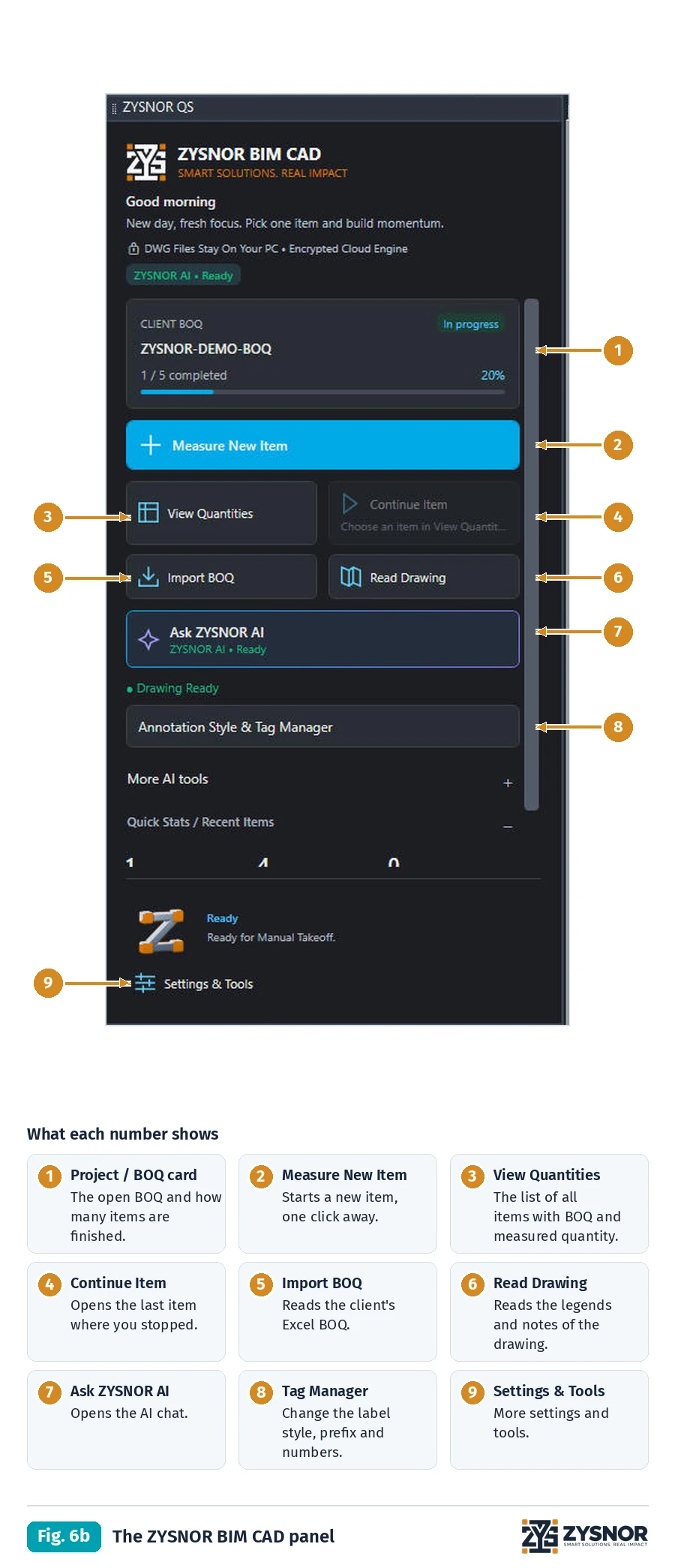
Tip: the panel button Measure New Item (Fig. 6b, number 2) is the fastest way to start.
What leaves your PC
Your DWG file never leaves your PC. To calculate, the plugin sends only numbers: lengths, areas, heights and counts. Drawing text goes to ZYSNOR AI only if you allow it in Account & License (see Account and license). Read the privacy notice.
Questions people ask
Which AutoCAD versions work?
AutoCAD 2021 on Windows.
Do I need administrator rights?
No. It installs for your Windows user only.
I do not see the ZYSNOR BIM CAD tab. What now?
Close AutoCAD fully and open it again. Still missing? Run the setup again. See Troubleshooting.
Can I install without a key?
Yes. Click Skip for now (Fig. 3, number 4) and activate later.